
Mazda 6 Service Manual: Disc pad (rear) replacement
1. Remove in the order indicated in the table.
2. Install in the reverse order of removal.
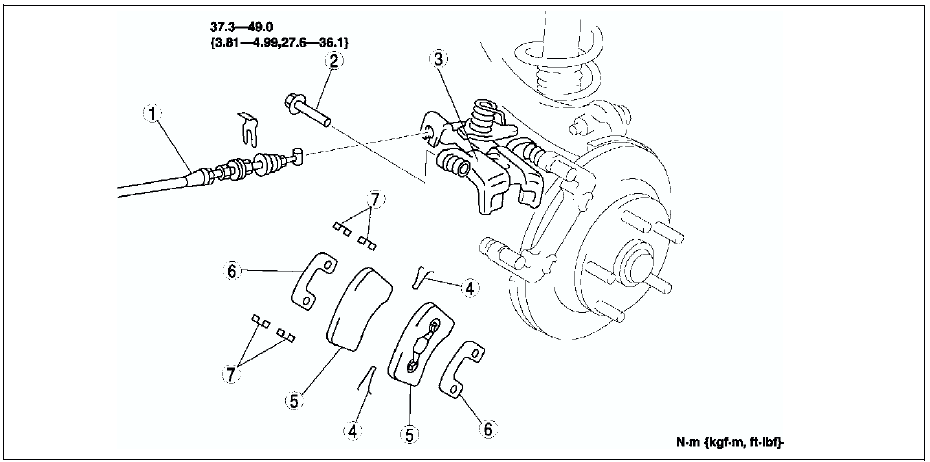

 Rear brake (disc) removal/installation
1. Remove in the order indicated in the table.
2. Install in the reverse order of removal.
3. After installation, depress the pedal several times, rotate the wheel by
hand, and verify that the bra ...

Other materials:
Mazda 6 Service Manual: Rear drain hose installation
Caution
If the rear drain hose is pinched or bent anywhere, the water in the hose may
not discharge and enter the inside of the vehicle. During and after installation
of the trims and the headliner, always make sure there is no interference with
the rear drain hose. Fix any problem if foun ...
Mazda 6 Service Manual: Drive shaft removal/installation
Caution
Performing the following procedures without first removing the ABS
wheel-speed sensor may possibly cause an open circuit in the harness if it
is pulled by mistake. Before performing the following procedures, remove the
ABS wheel-speed sensor (axle side) and fix it to an appropri ...